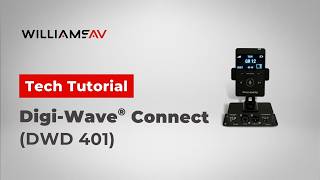

Digi-Wave Connect

DWD 401

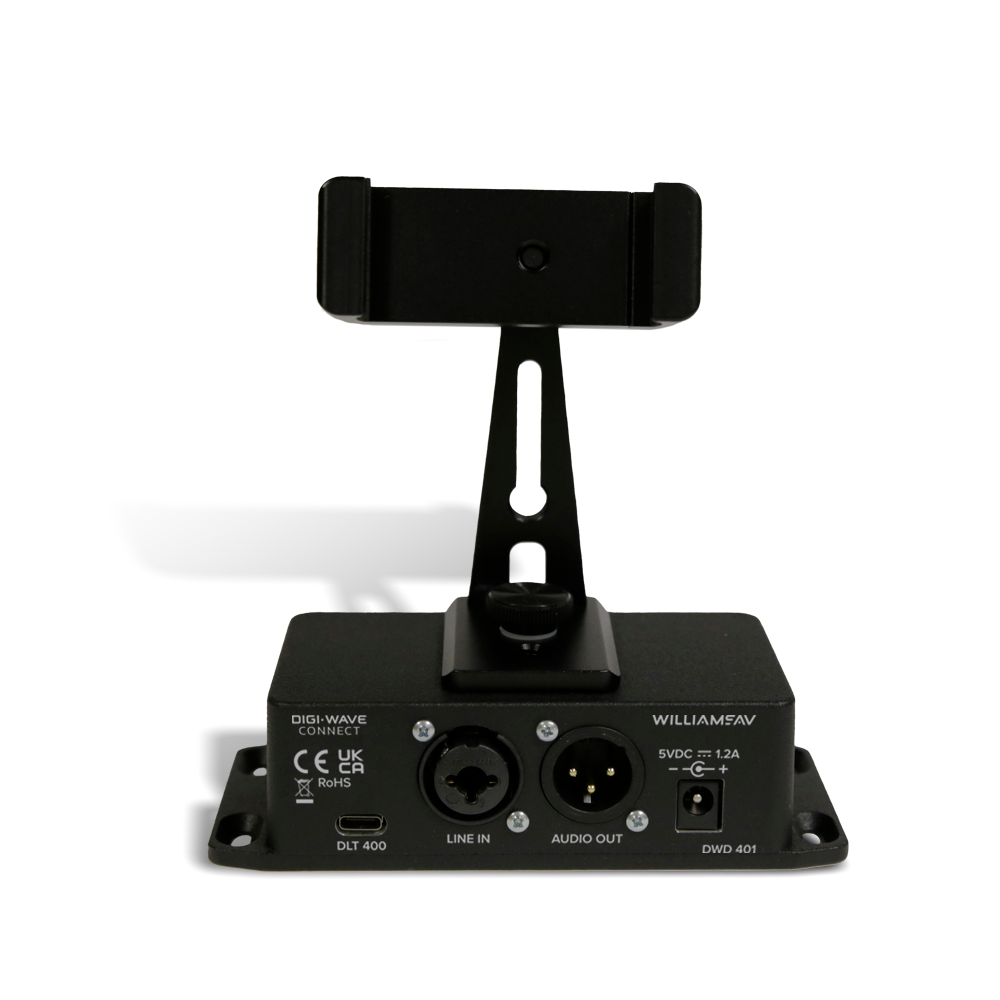
Digi-Wave Connect is an analog audio cable converter box that sends audio to and from an existing Digi-Wave 400 wireless intercom system. By connecting your Digi-Wave Connect to your local audio system, you can transmit sound from your audio equipment to your Digi-Wave group, or output the audio from your Digi-Wave group to your local sound system.

5 Year Warranty Badge

Visit the Warranty and Registration page for details 

Seamlessly merge your existing audio system with the power of the Digi-Wave 400 intercom system with Digi-Wave Connect. Whether you’re in a conference room, classroom, or any venue with an existing audio setup, this analog audio cable converter box bridges your local audio setup and the Digi-Wave 400 wireless intercom system, allowing you to transmit line-level audio in both directions. Digi-Wave Connect is specially designed to work with the Digi-Wave DLT 400 transceiver and DLR 400 RCH receiver, ensuring a hassle-free integration process with an existing audio system.

Whether you’re hosting a business meeting, educational session, or any event that relies on effective communication, Digi-Wave Connect empowers you to maximize your existing audio infrastructure while leveraging the capabilities of the Digi-Wave 400 system. Upgrade your communication setup today and experience the future of audio connectivity with Digi-Wave Connect.


System Includes

  • Power supply
  • USB-C to USB-C connector cable
  • BKT 040 mounting bracket

DWD 401

Dimensions 5.43”H x 1.48”W x 2.125”D ( 13.79 x 3.76 x 5.39 cm)
Weight 0.45 lbs (0.2 kg)
Power 5VDC 1.2A
Audio Line In: XLR 3-Pin Female
Audio Output XLR 3-Pin Male
Digi-Wave Devices DLT 400
DLT Connection Cable USB 3.1 C
Approvals RoHS, CE, UKCA
Warranty 5 years on parts and labor with product registration; 2 years standard without registration. Internal batteries are covered for 1 year and accessories for 90 days, regardless of registration.     
Visit the Warranty and Registration page for details.   

Warranty

5 years with registration - 2 years standard (90 days for accessories)

No Firmware Found

  1. What is the Digi-Wave® Connect? The Digi-Wave Connect (DWD 401) is an analog audio interface that links an existing local audio system to a Digi-Wave 400 wireless system. It sends audio from local equipment into a Digi-Wave group, and from the group out to the local sound system.
  2. What is included with the Digi-Wave Connect? The system includes:
    • DWD 401 Digi-Wave Connect
    • Power supply
    • USB-C to USB-C connector cable
    • BKT 040 mounting bracket

    The DLT 400 transceiver is sold separately.

  3. What else do I need to use it? You need a Digi-Wave DLT 400 transceiver to connect to the DWD 401, plus an existing Digi-Wave 400 system with other users in the group.
  4. How does it connect to the DLT 400? Connect the included USB 3.1 Type C cable from the bottom of the DLT 400 to the DLT port on the DWD 401. Use the included cable or another USB 3.1 Type C cable. A standard USB 2 Type C cable will not work.
  5. Does the DLT 400 need to be charged separately? No. The DWD 401 powers the DLT 400 and keeps it charged while the USB cable is connected.
  6. Can I use a DLR 400 RCH receiver instead of a DLT 400? Yes, with limits. A DLR receiver has no talk feature, so it can only send group audio out to the local sound system. It cannot send local audio into the group. For two-way audio, use a DLT 400.
  7. What audio connections does it have? The DWD 401 has an XLR 3-pin female Line In and an XLR 3-pin male Audio Output. The Line In accepts balanced or unbalanced line-level audio. See the Digi-Wave Connect Wiring Diagram on the Documentation tab for pin assignments.
  8. How do I set it up?
    1. Connect the power supply to the DWD 401.
    2. Connect the USB cable from the DLT 400 to the DLT port on the DWD 401. The LED on top of the DLT lights up.
    3. Connect your audio source (such as a mic mixer) to Line In and your local sound system to Audio Output.
    4. Add the connected DLT to an active Digi-Wave group like any other user.

    Once connected, the DLT transmits continuously without pressing TALK.

  9. Do I need to change any DLT 400 settings? No special settings are required. Line in and line out gain can be adjusted in the DLT 400 settings if needed.
  10. Can it be used for two-way communication? Yes. With a DLT 400, audio from the Line In is broadcast to the selected Digi-Wave group, and group audio is sent out to the local sound system. This lets in-room participants and Digi-Wave users hear each other.
  11. How is it mounted? The included BKT 040 bracket attaches to the top of the DWD 401 and holds the DLT 400 in place with the USB cable connected. Cork pads on the bottom of the bracket protect the surface it sits on. See the User Guide for step-by-step mounting instructions.
  12. How is it powered? The DWD 401 runs on 5 VDC, 1.2 A from the included power supply.
  13. Where is the Digi-Wave Connect typically used? It is used in conference rooms, classrooms, and any venue with an existing audio system, for business meetings, educational sessions, and events where Digi-Wave users need to share audio with the room.
  14. How big is it? The DWD 401 measures 5.43″ H x 1.48″ W x 2.125″ D (13.79 x 3.76 x 5.39 cm) and weighs 0.45 lb. (0.2 kg).
  15. What certifications does it have? RoHS, CE, and UKCA.
  16. What is the warranty? The Digi-Wave Connect is covered for 5 years on parts and labor with product registration, or 2 years standard without registration. Accessories are covered for 90 days, regardless of registration.

Design & Consultant Specs